
Description
The aged AWS 64 vCPU account is for the point at which one account has to do several things at once without them strangling each other — and at which account age quietly becomes more important, because heavier, more concurrent usage draws more scrutiny.
Typically two to four years old with an unbroken record, it is trusted enough to run demanding, spiky workloads without reading as a threat.
Concurrency, and why history protects it
Your quota caps what runs simultaneously, and 64 vCPU is where production, staging, CI and a batch job can coexist without competing. But running many things at once is also, to a risk system, more interesting behaviour — and interesting behaviour on a new account is what gets suspended.
An aged account absorbs that. It has a baseline of years, so a burst of concurrent activity is measured against a long history rather than treated as a first, alarming act. This is the entire argument for buying age, set out in full here.
What is included
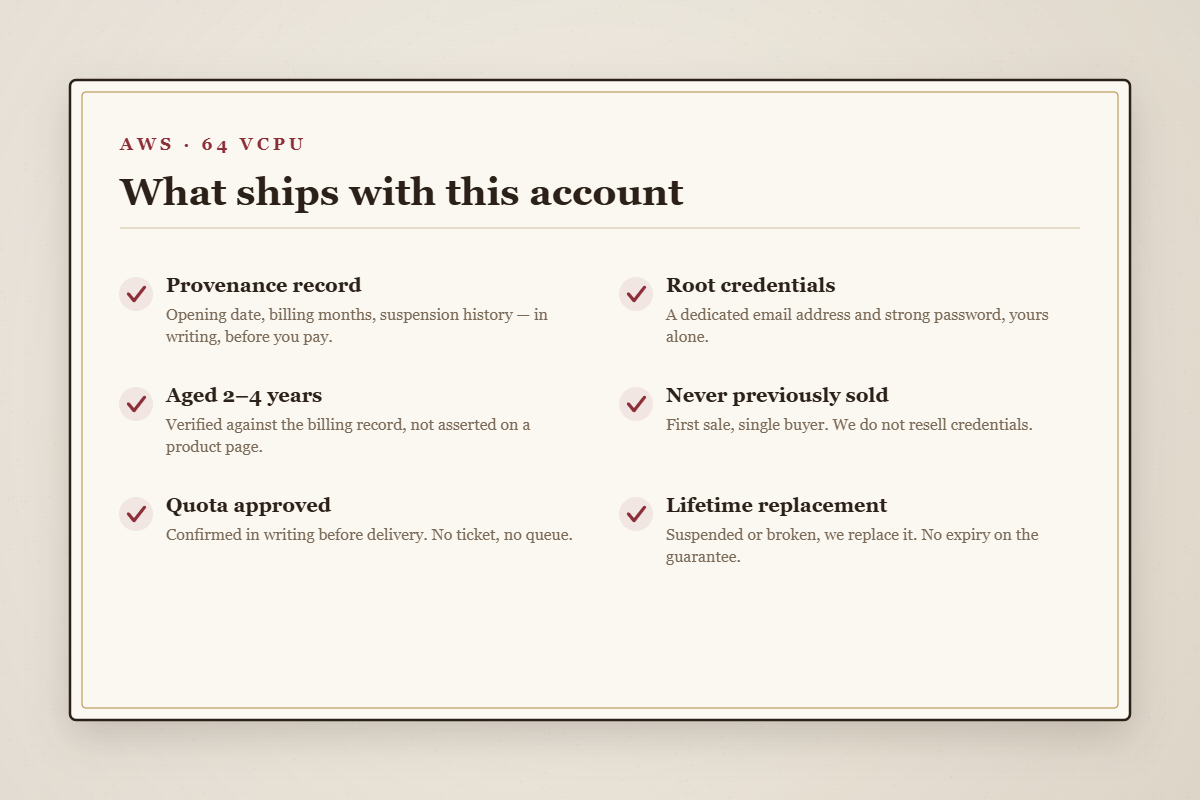
- A written provenance record — opening date, billing months, suspension history — before you pay.
- Root credentials — dedicated email and strong password.
- A 64 vCPU quota approved in writing before delivery.
- Never previously sold — first sale, single buyer.
- Console and billing access, Cost Explorer included.
- Bedrock and SageMaker enabled.
- Lifetime replacement, no expiry.
Who needs this tier
Agencies with several clients
Isolated environments per client, without one client’s build blocking another’s deploy. Age matters here because multi-environment activity is exactly the pattern a new account struggles to justify.
Teams with a real CI/CD pipeline
CI is violently spiky. Sharing a 32 vCPU ceiling with production works until the day it does not; 64 gives both room.
Container orchestration and applied ML
Kubernetes scales out by design, and fine-tuning workloads need concurrent capacity. Both are safer on an aged account.
Tiers and pricing
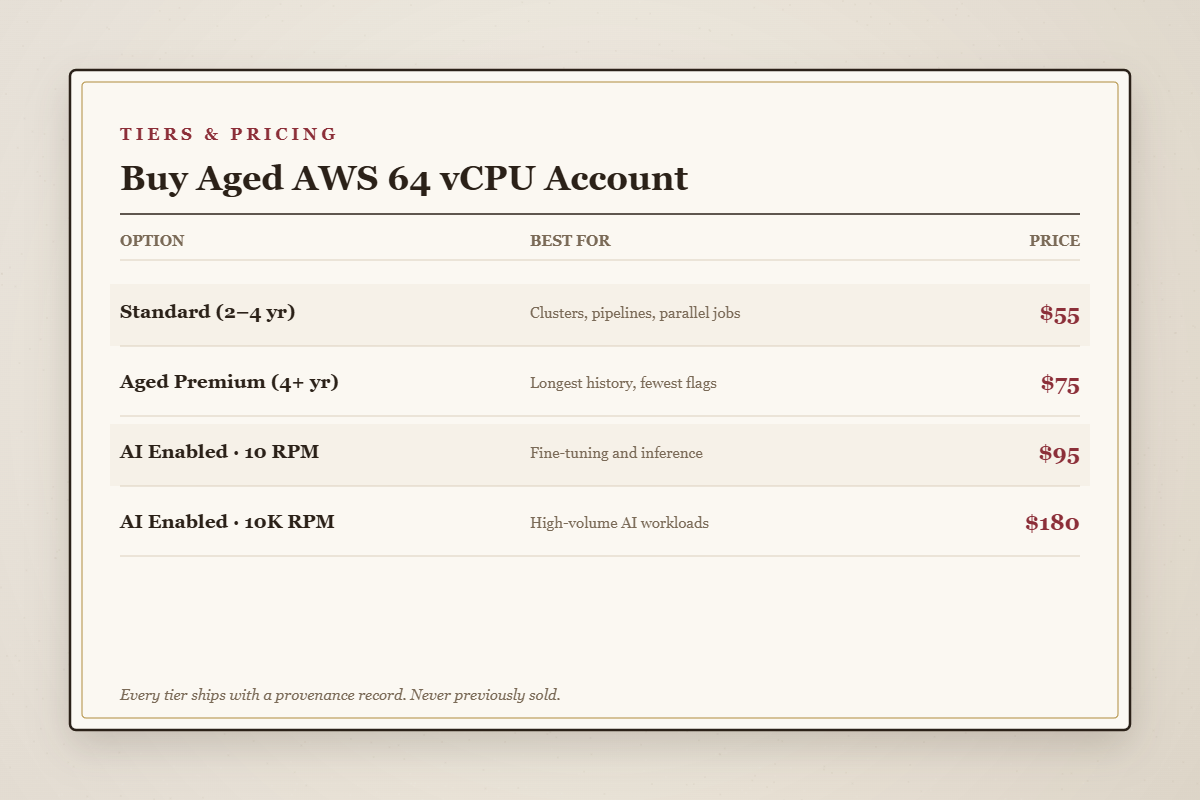
Standard (2–4 yr) — $55
Genuinely aged, quota approved, region of your choosing.
Aged Premium (4+ yr) — $75
Our oldest accounts. Genuinely worth considering at this tier, where usage draws more attention.
AI Enabled · 10 RPM — $95
Bedrock and SageMaker at modest throughput.
AI Enabled · 10K RPM — $180
High AI throughput for production traffic.
The provenance record
Every account on this page ships with a written record before you pay: the opening date, the length of billing history, the suspension record, the prior-ownership status, and the approved quota. You review it and decide with the facts in front of you — not after the money has moved. If we cannot verify an account’s history to our own standard, it does not ship, and you are not charged. Our full standard for what a record must contain is set out here.
Delivery
Around forty minutes, verified by hand. If the account is suspended or fails afterwards, message the desk and we replace it free, no expiry.
Enquiries
Is 64 vCPU the same as 64 servers?
No — it is the total virtual CPU you may run at once. The sum is what the quota governs.
Has this account been sold before?
No. Once, to you. It is stated in the provenance record.
Is the aged premium worth it here?
More often than at 32 vCPU, yes — heavier usage benefits more from history. The economics are here.
Can I see the record first?
Yes, before you pay. Ask.
Sizing it honestly
List everything that runs at the same time, sum the peak vCPU rather than the average, add roughly a third of headroom for spikes and rolling deploys, and round up. If that lands under 32, buy the 32 vCPU account and keep the difference — we would rather you did. If it lands well beyond 64, take the 128 vCPU. Guessing upward “to be safe” is how people overspend in this category, and we have no interest in encouraging it.
What you are really paying for
An AWS account is free to open, so what you are buying at 64 vCPU is not access — it is an account old enough to run demanding, concurrent workloads without the platform treating that activity as a threat. A new account with the same quota would carry real suspension risk precisely because high capacity and no history is the profile risk systems distrust most. The years of billing behind an aged account are what convert that risk into routine, and the provenance record is how you confirm the years are real before you pay.
The first hour: keep what you bought
An aged account gives you a strong starting position. What you do in the first fifteen minutes decides whether you keep it.
- Change the password immediately and store it in a password manager. The one you were sent has sat in an email inbox.
- Enable multi-factor authentication before you deploy anything.
- Create a working user rather than operating as root day to day.
- Log in from one place. Accessing a freshly-purchased account from several countries in a week is the pattern that undoes even a well-aged account — it is precisely how resold-credential suspensions happen, and you do not want to recreate it yourself.
- Check the billing settings so you know what payment method is attached and what happens if it lapses.
Why we sell each account once
The most common way a bought account dies has nothing to do with its age or its quota. It is a seller handing the same credentials to several buyers, who then log in from several countries, triggering an automatic suspension that takes all of them down at once. A five-year-old account shared four ways dies as fast as a new one.
So we sell each account exactly once, and the prior-ownership status is stated plainly in the provenance record. It is the least glamorous thing we do and the most important. If you take one habit from this page, let it be asking every seller you consider: has this been sold to anyone else?
Related
Aged 32 vCPU · Aged 128 vCPU · Aged with credit · aged AWS range · cloud accounts.
Disclaimer: OldAccs.com is an independent reseller and is not affiliated with, authorised by, or endorsed by Amazon Web Services, Inc.. All trademarks belong to their respective owners. An aged account improves your odds; it does not exempt you from the rules. You remain responsible for operating within the platform’s terms of service and for whatever you deploy.
Reviews
There are no reviews yet.